UI Design and Components
Main Screen
The image below depicts the key UI components used in the design of the main screen of the application.
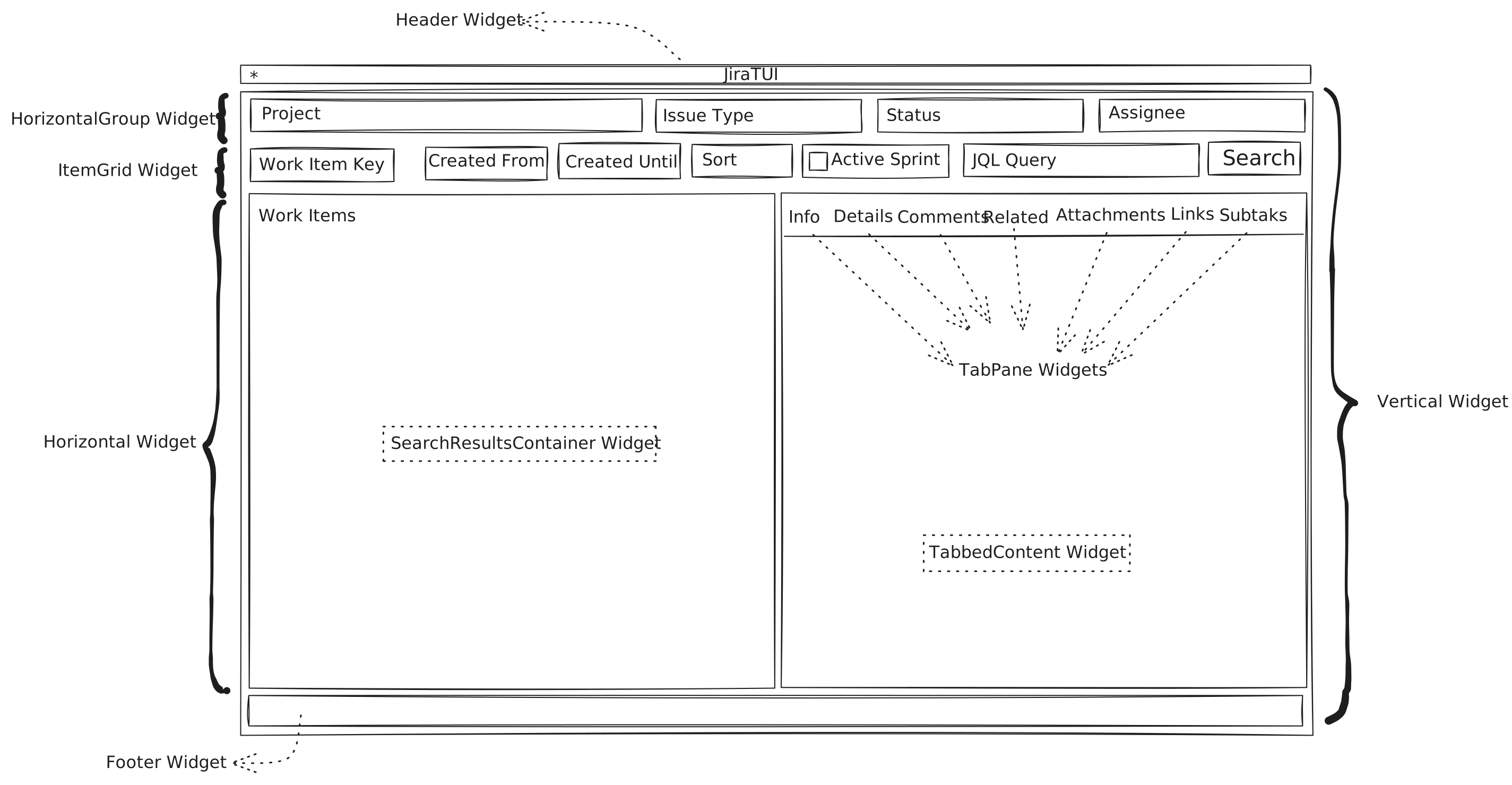
The initial screen of the application
Search Results
The image below depicts the key UI components used for displaying search results
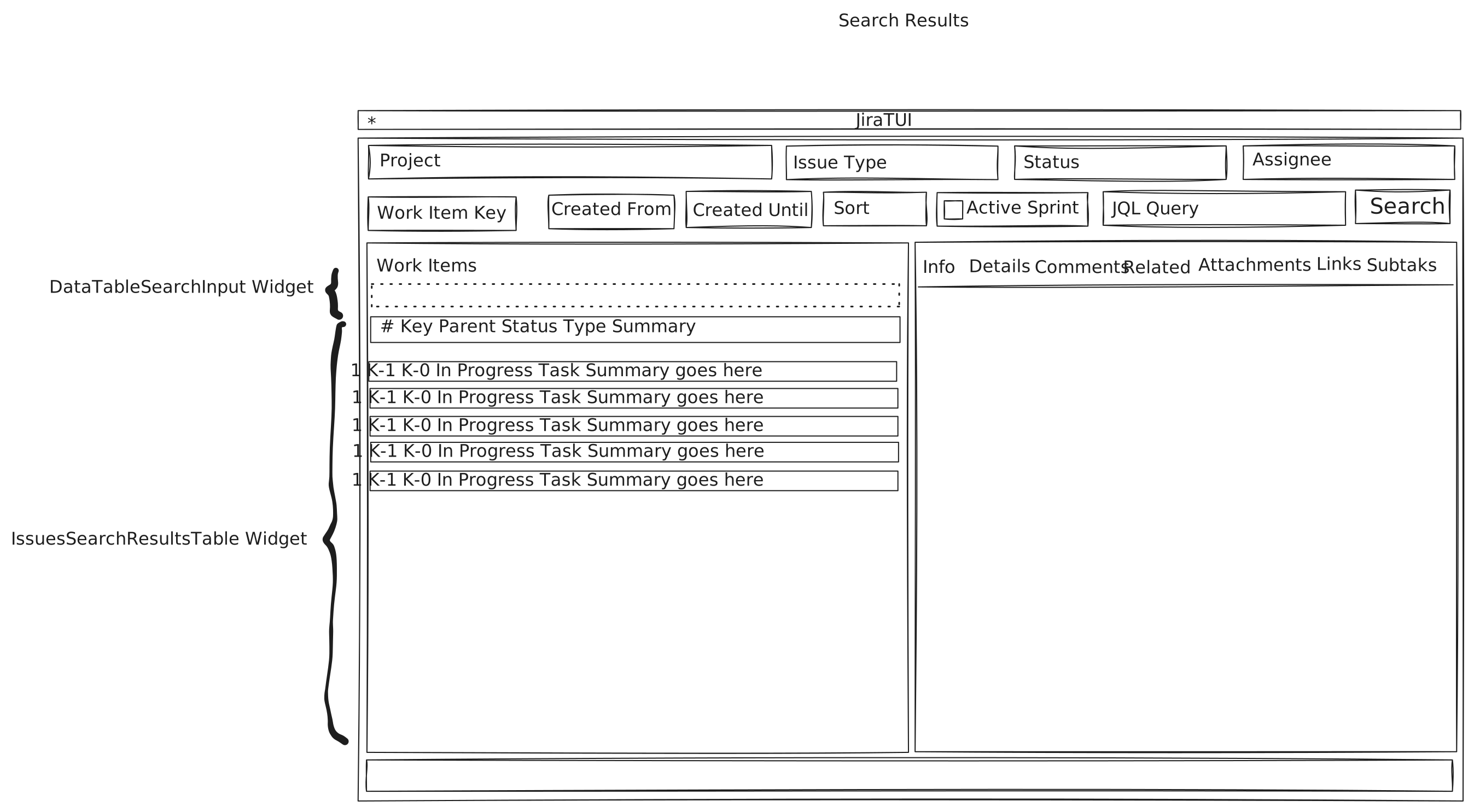
Components that make up the search results view.
Work Item Information
The image below depicts the key UI components used for displaying information (text-based fields) of a work item.
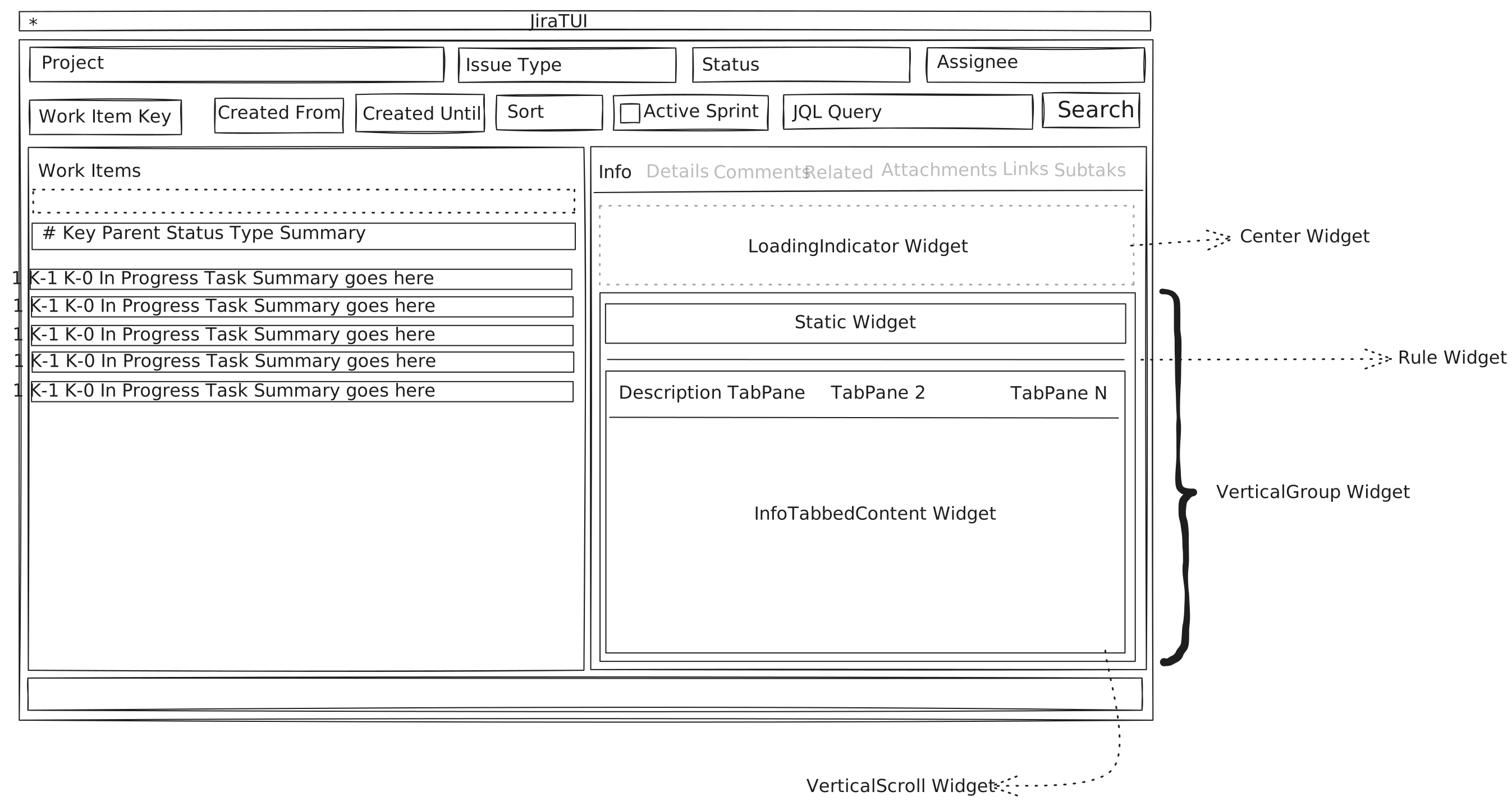
The components used for displaying text-based information related to a work item.
Work Item Details
The image below depicts the key UI components used for displaying the key details of a work item.
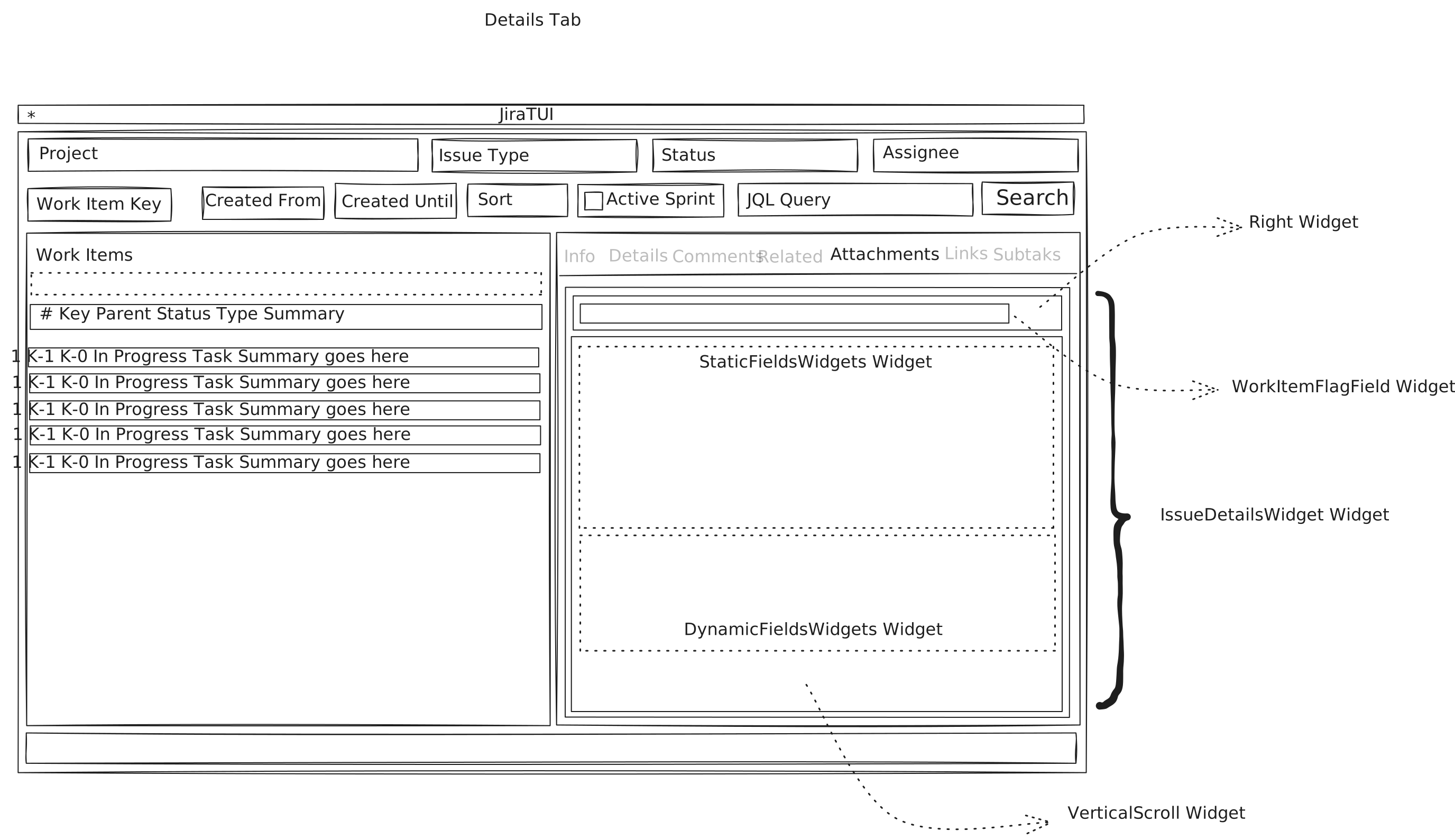
The components used for displaying details of a work item.
Work Item Comments
The image below depicts the key UI components used for displaying the comments of a work item.
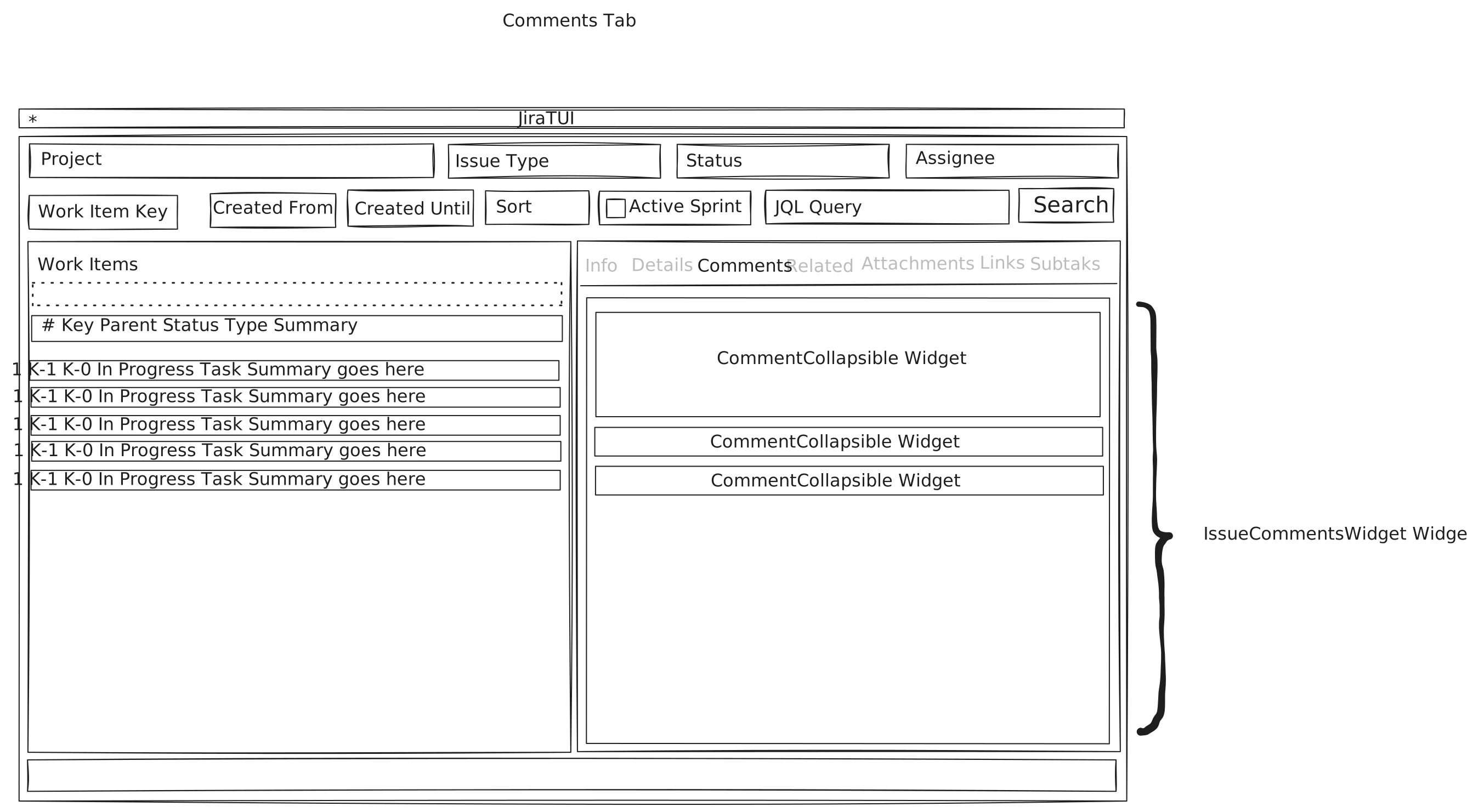
The components used for displaying the comments associated to a work item.
Work Item Web Links
The image below depicts the key UI components used for displaying the web links of a work item.
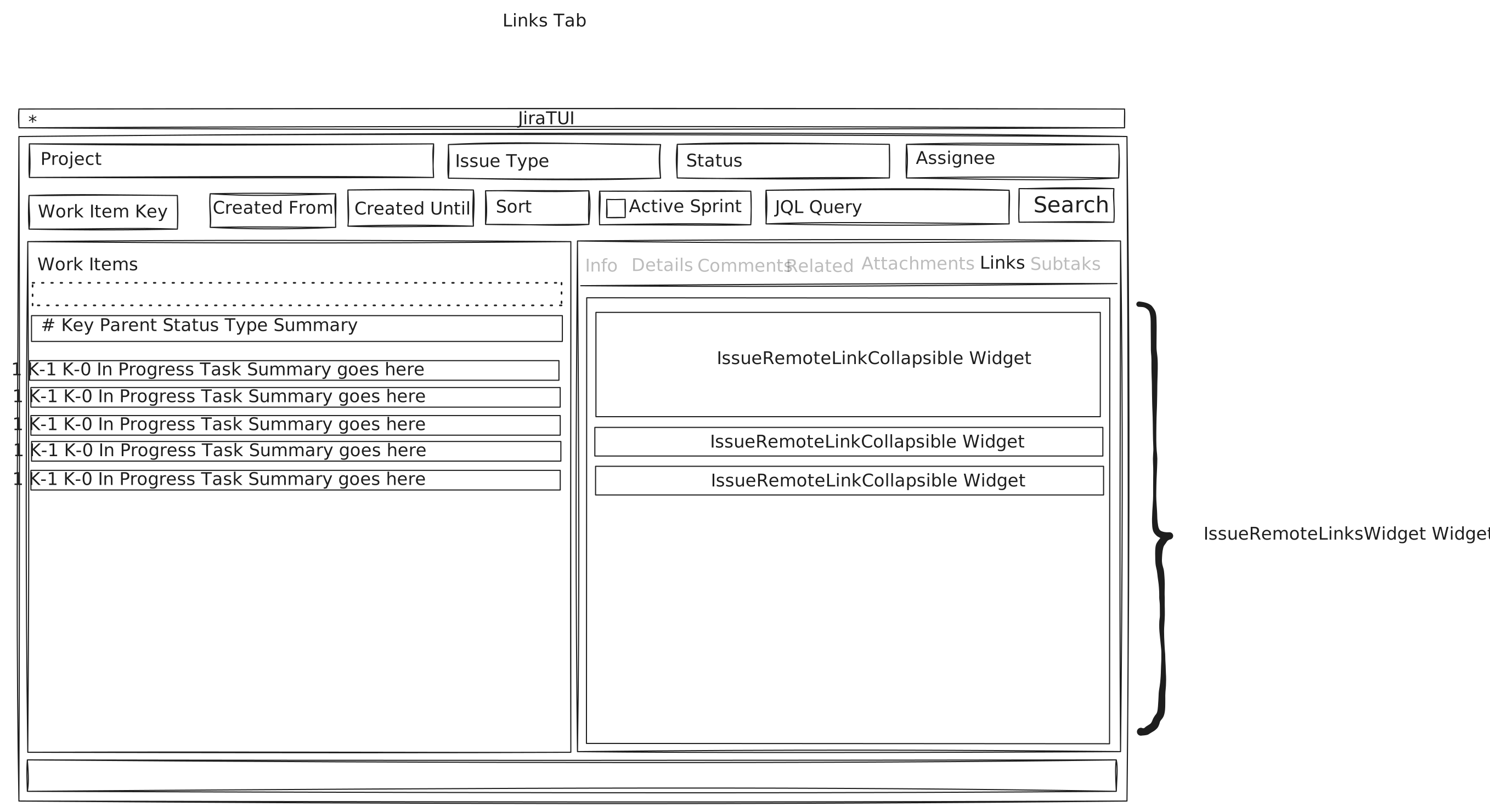
The components used for displaying the web links associated to a work item.
Work Item Related Tasks
The image below depicts the key UI components used for displaying the related tasks of a work item.
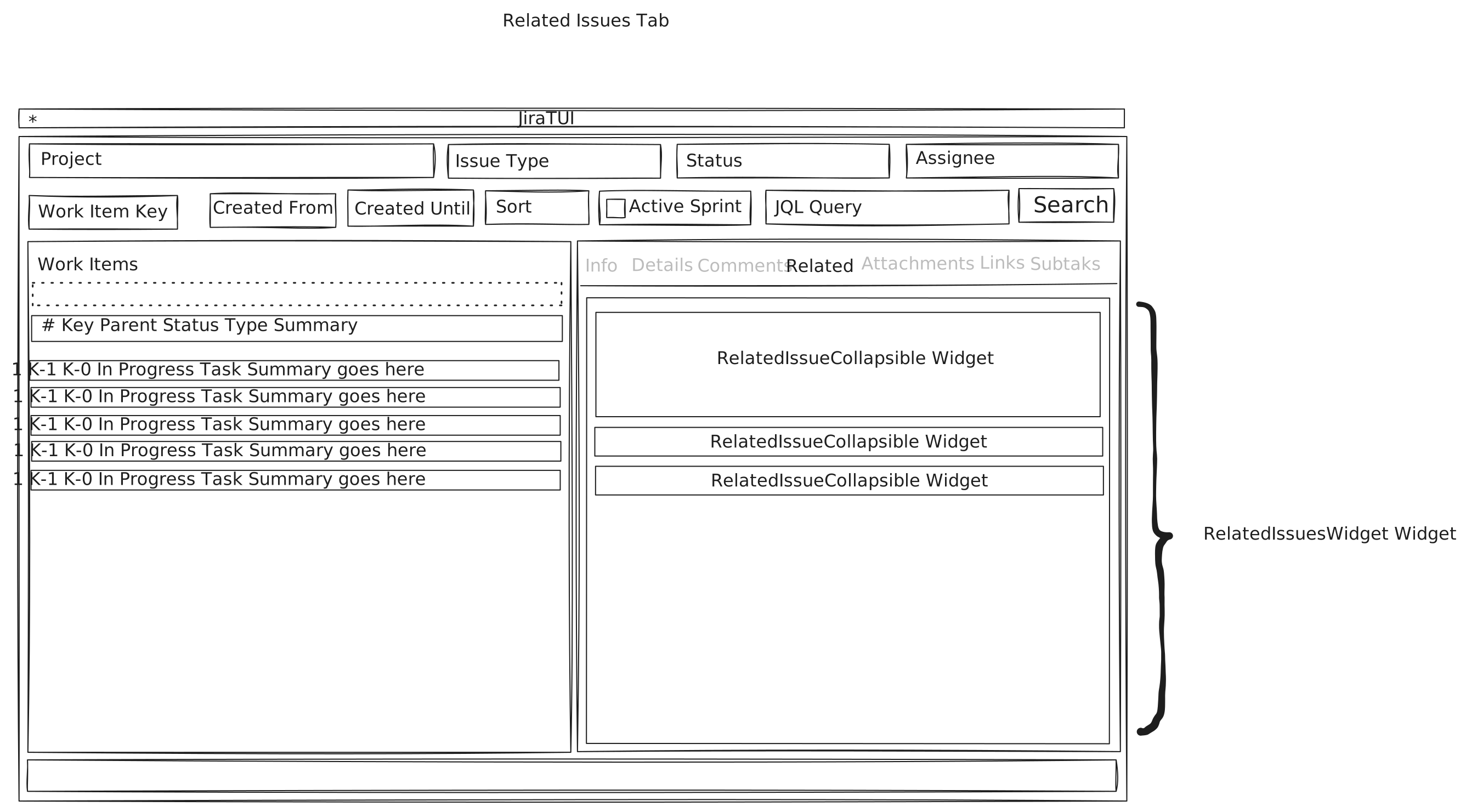
The components used for displaying the related tasks associated to a work item.
Work Item Subtasks
The image below depicts the key UI components used for displaying the subtasks of a work item.
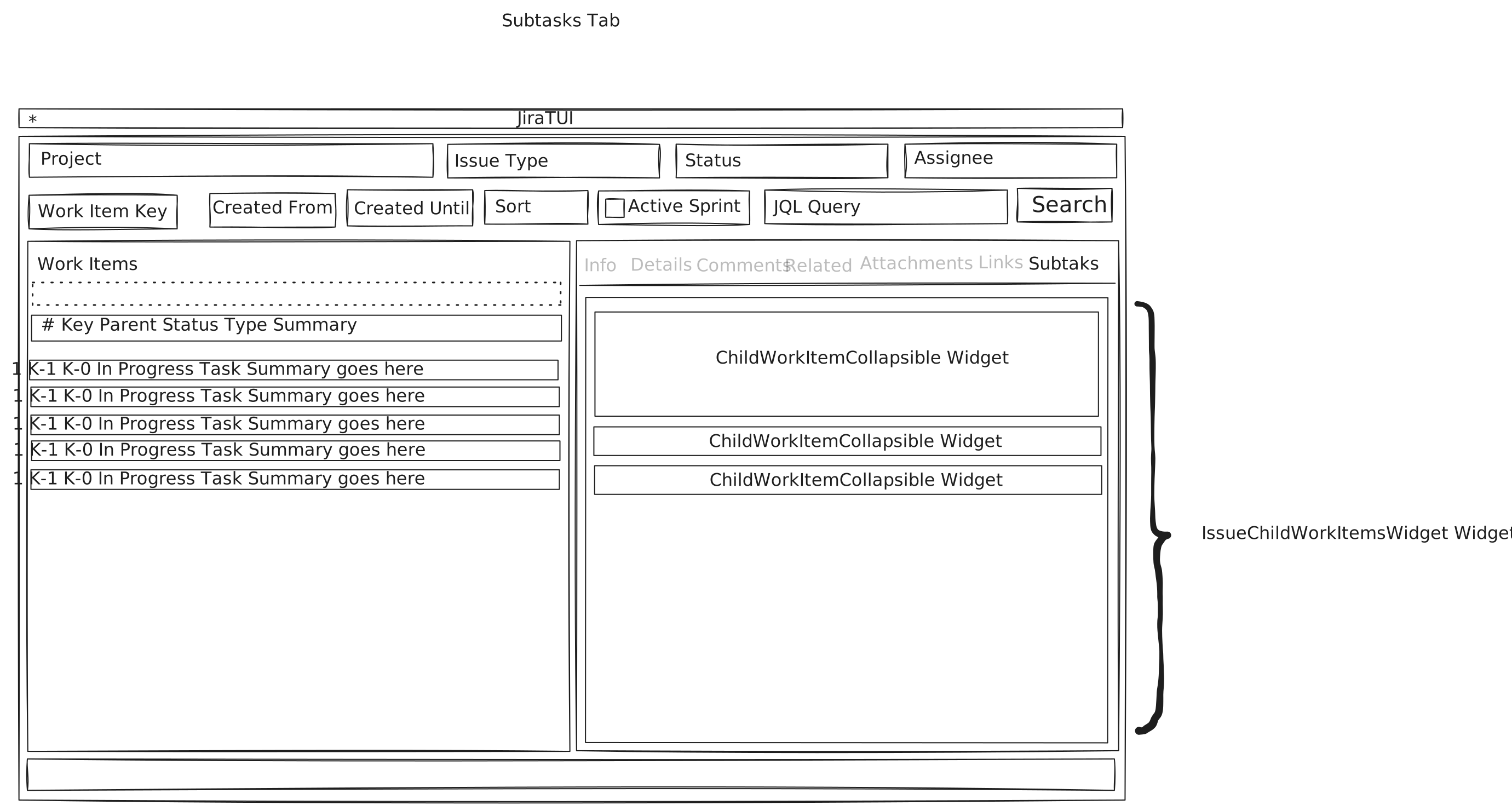
The components used for displaying the sub tasks associated to a work item.
Work Item Attachments
The image below depicts the key UI components used for displaying the files attached to a work item.
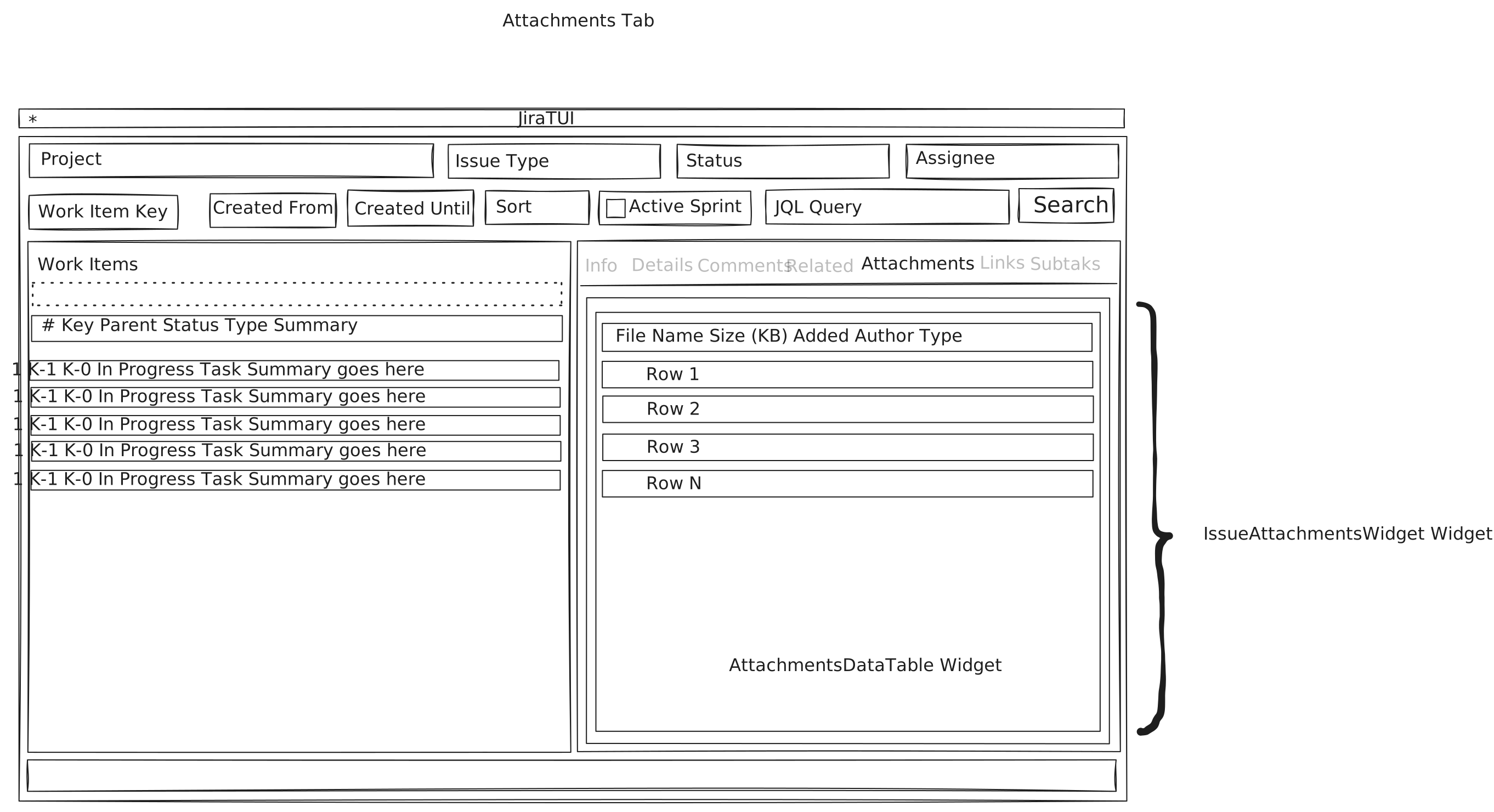
The components used for displaying the files attached to a work item.
Create Work Item Screen
The image below depicts the key UI components used by the screen that allows users to create new work items.
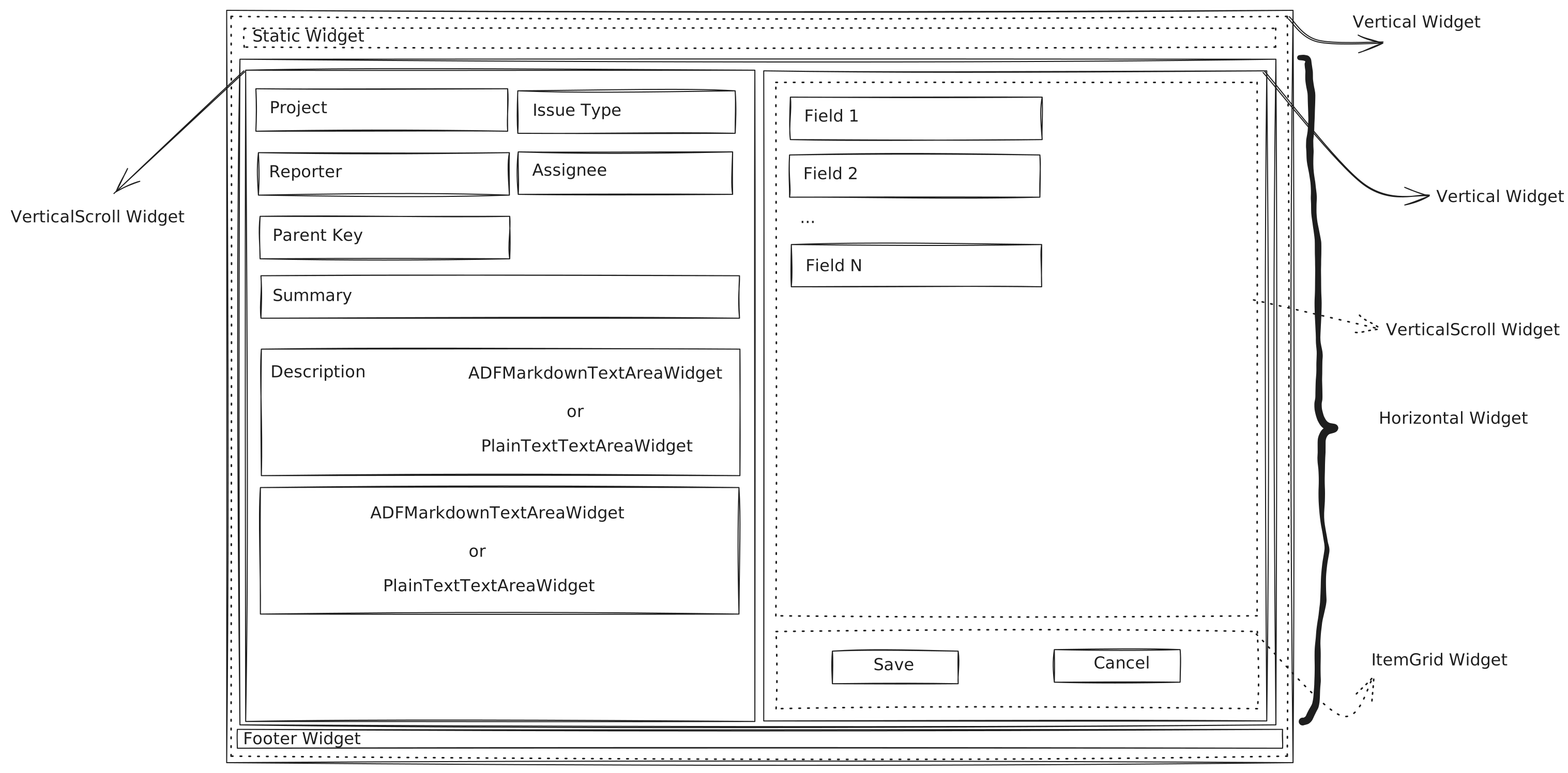
The screen to create new work items.
Add Comment Screen
The image below depicts the key UI components used by the screen that allows users to add comments to a work item.
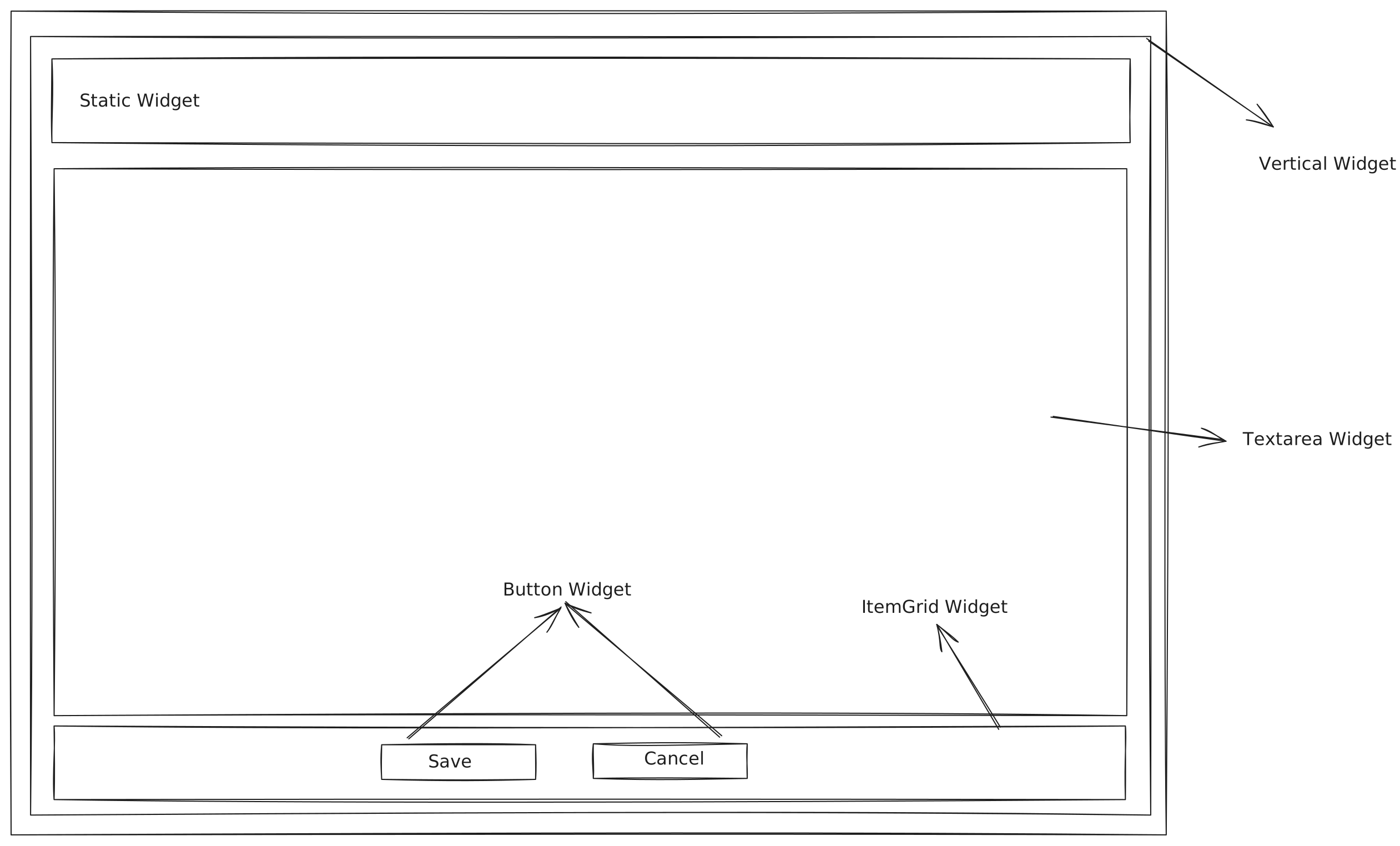
The screen to add comments.
Attach Files Screen
The image below depicts the key UI components used by the screen that allows users to attach files to a work item.
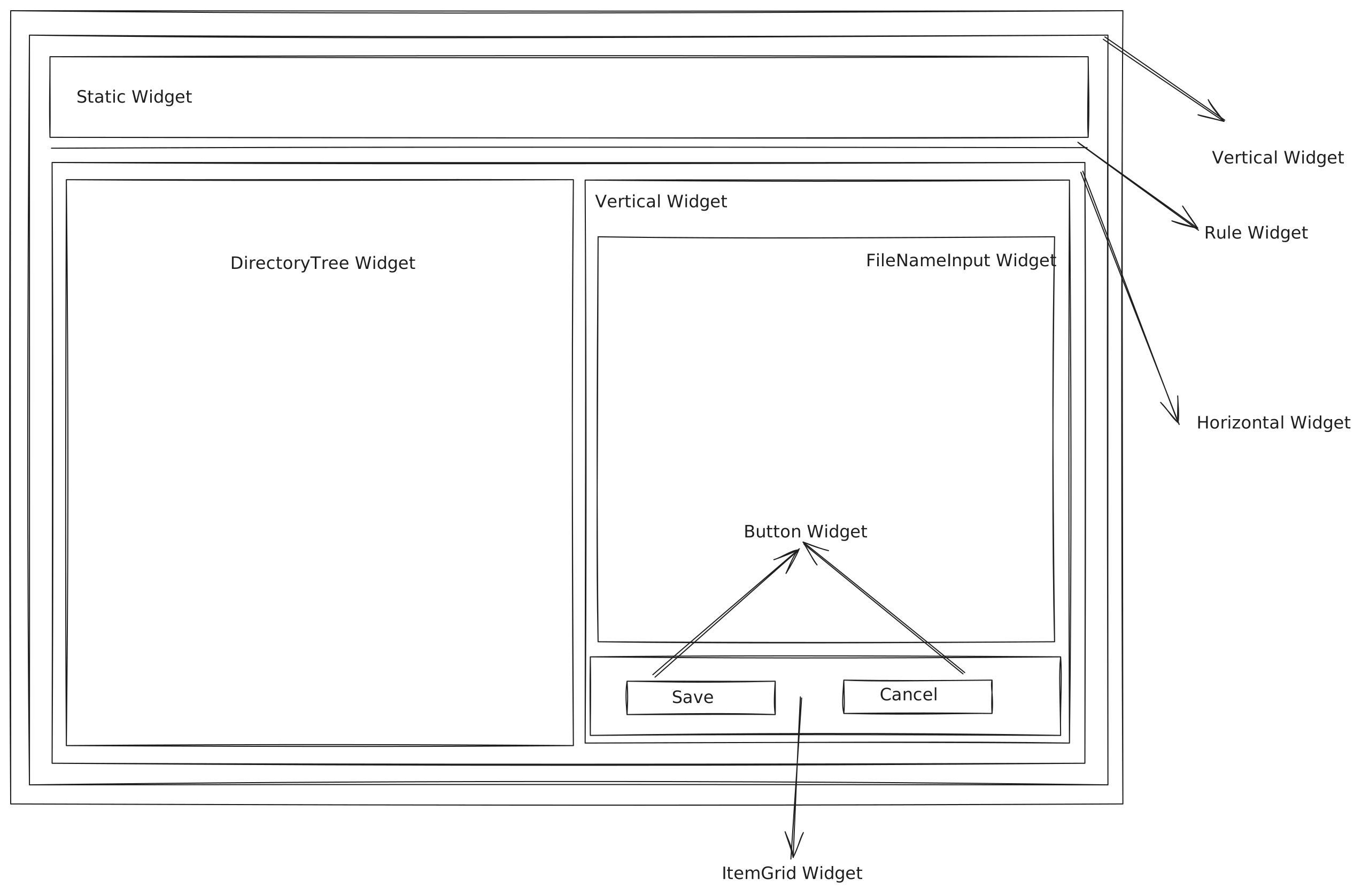
The screen to add comments.
Relate Work Items
The image below depicts the key UI components used by the screen that allows users to add a relationship between 2 work items.
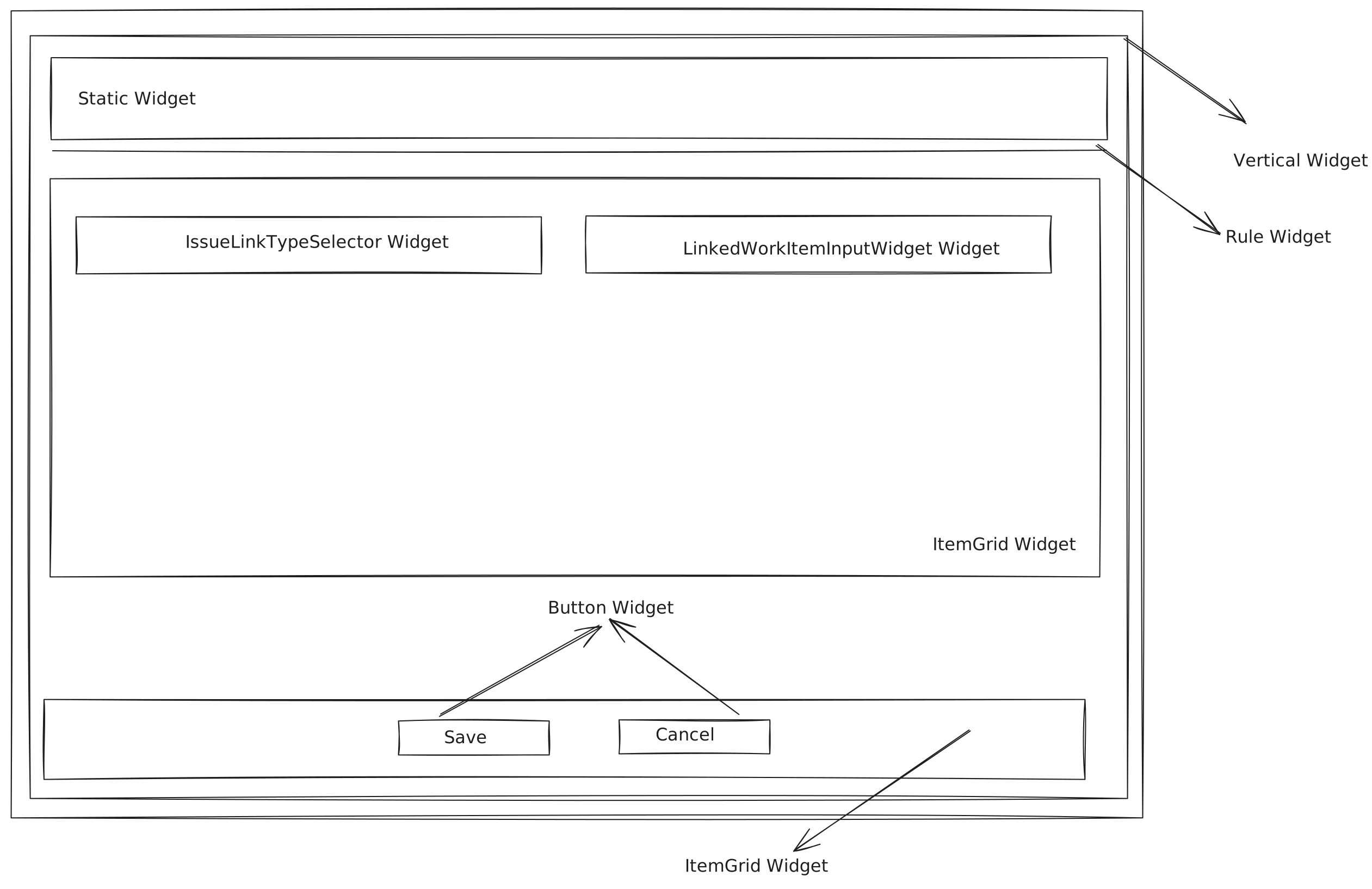
The screen to add a relationshipt between 2 work items.